

Worldfone4Biz Login Guide
After installing the application, users need to sign in to access the features of Worldfone4Biz. Follow the instructions below to locate your account information and log in to the application.
Sign In to the Worldfone4Biz App
To use the application, you must have an account provided by your company's PBX system.
View Your PBX Account Information
When your PBX account is created, your system administrator will provide you with a Username and Password. Use these PBX account credentials to sign in to the Worldfone4Biz application.
To view your account information in the PBX system:
Step 1: Sign in to the PBX Portal.
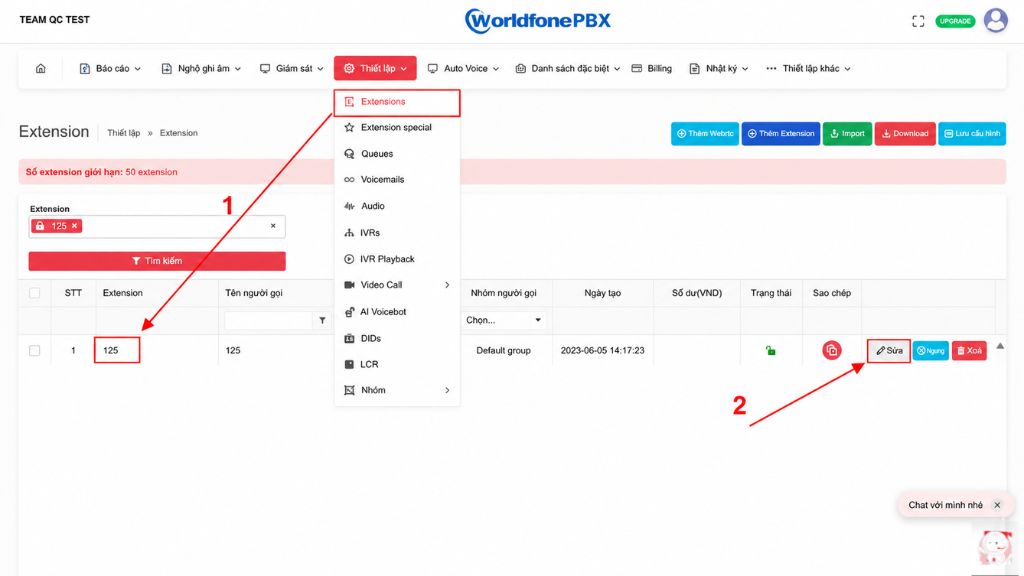
Step 2: From the menu, go to Settings → Extensions, then select the extension you want to use and click Edit.
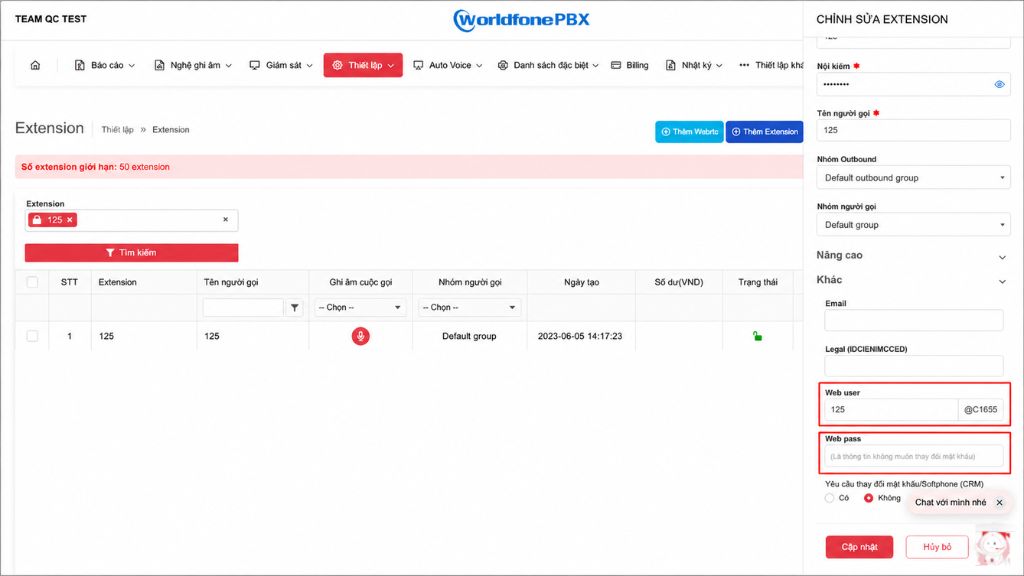
Step 3: In the Edit Extension window, scroll to the bottom of the page to view the following account details:
- Username
- Password
Use these credentials to sign in to the Worldfone4Biz mobile application.
Sign In to the Worldfone4Biz App
Step 1: Open the Worldfone4Biz application.
Step 2: Enter the Username and Password from your PBX account, then tap Sign In to access the application.

Step 3: Once you have successfully signed in, you can start using features such as: Making and receiving calls, Viewing call history, Managing contacts, Configuring application settings,...
Blog relate to
OmniCXM - Worldfone4X Mobile User Guide
July 08, 2026
Worldfone4Biz User Guide for Mobile and PC
July 03, 2026
OmniCXM - Worldfone4X Mobile Login Guide
July 02, 2026


